
On this page9 sections
- 01What Are Geo-Targeted Proxies?
- 02How Websites Detect Your Location
- 03Geo-Targeting Levels: Country, State, and City
- 04How to Set Up Geo-Targeting on NovaProxy
- 05How Accurate Is Proxy Geo-Targeting?
- 06What Geo-Targeted Proxies Are Used For
- 07Choosing the Right Proxy Type for Geo-Targeting
- 08Frequently asked questions
- 09Start Testing From Any Location
Geo-targeted proxies (often just called geo proxies) route your traffic through an IP address in a specific country, state, or city, so websites treat you as a local visitor from that exact location. Search engines, e-commerce stores, ad networks, and streaming platforms all adapt what they show based on where your IP appears to be — which means the only way to see what a user in New York, Berlin, or Tokyo actually sees is to browse from an IP in that place.
This guide explains how geo-targeting works, how to set it up (a few clicks in the dashboard, or one password parameter if you're automating), how accurate each targeting level really is, and what teams use it for in 2026 — including checking how AI search engines answer in different countries.
What Are Geo-Targeted Proxies?
A geo-targeted proxy is a proxy server whose exit IP address is registered to a location you choose. Instead of getting a random IP from the provider's pool, you specify a country — and optionally a state and city — and the gateway only assigns you IPs that match. To the destination website, your request is indistinguishable from a local visitor's: same IP geolocation, same regional content, same local prices and search results.
Geo-targeting is a standard feature of residential proxies, where the pool is made up of real household IPs spread across the world. The wider and more evenly distributed the pool, the more granular the targeting can be.
How Websites Detect Your Location
Websites don't ask your browser where you are — they look up your IP address in a geolocation database such as MaxMind GeoIP2 or IP2Location. These databases map every public IP range to a country, region, and city, and sites query them on every request to decide which storefront, language, prices, ads, or content restrictions to serve.
Three things follow from this:
- Your IP is the location signal. Changing it with a proxy changes what every geo-aware site serves you.
- Databases disagree at fine granularity. Country records are nearly always correct, but two databases can place the same IP in different cities. This is an industry-wide property of IP geolocation, not a proxy flaw.
- Residential IPs look local because they are local. A household IP in Dallas is registered to a Dallas ISP, so it passes geolocation checks that flag datacenter ranges.
Geo-Targeting Levels: Country, State, and City
Geo-targeting works as a filter on the IP pool: each level you add narrows the set of available IPs. The right level is the broadest one that still answers your question.
| Level | Available pool | Reliability | Best for |
|---|---|---|---|
| Country | Largest | Very high — country records are the most accurate data in geolocation databases | Localized SERPs, pricing, content availability, compliance checks |
| State / region | Medium | High | US state-level ads, regional availability, state-specific regulations |
| City | Smallest | Good, but subject to database disagreement | Local pack results, delivery zones, hyperlocal ad verification |
Rule of thumb: if country-level data answers your question, don't target a city. You'll get a larger pool, faster rotation, and fewer retries. Reserve city targeting for genuinely hyperlocal checks.
How to Set Up Geo-Targeting on NovaProxy
The easiest way is the dashboard: open the proxy generator, pick a country — and optionally a state and city from the dropdowns — choose your rotation settings, and generate a ready-to-use proxy list. Each line comes out fully formatted, so you paste it straight into your scraper, antidetect browser, or any other tool:
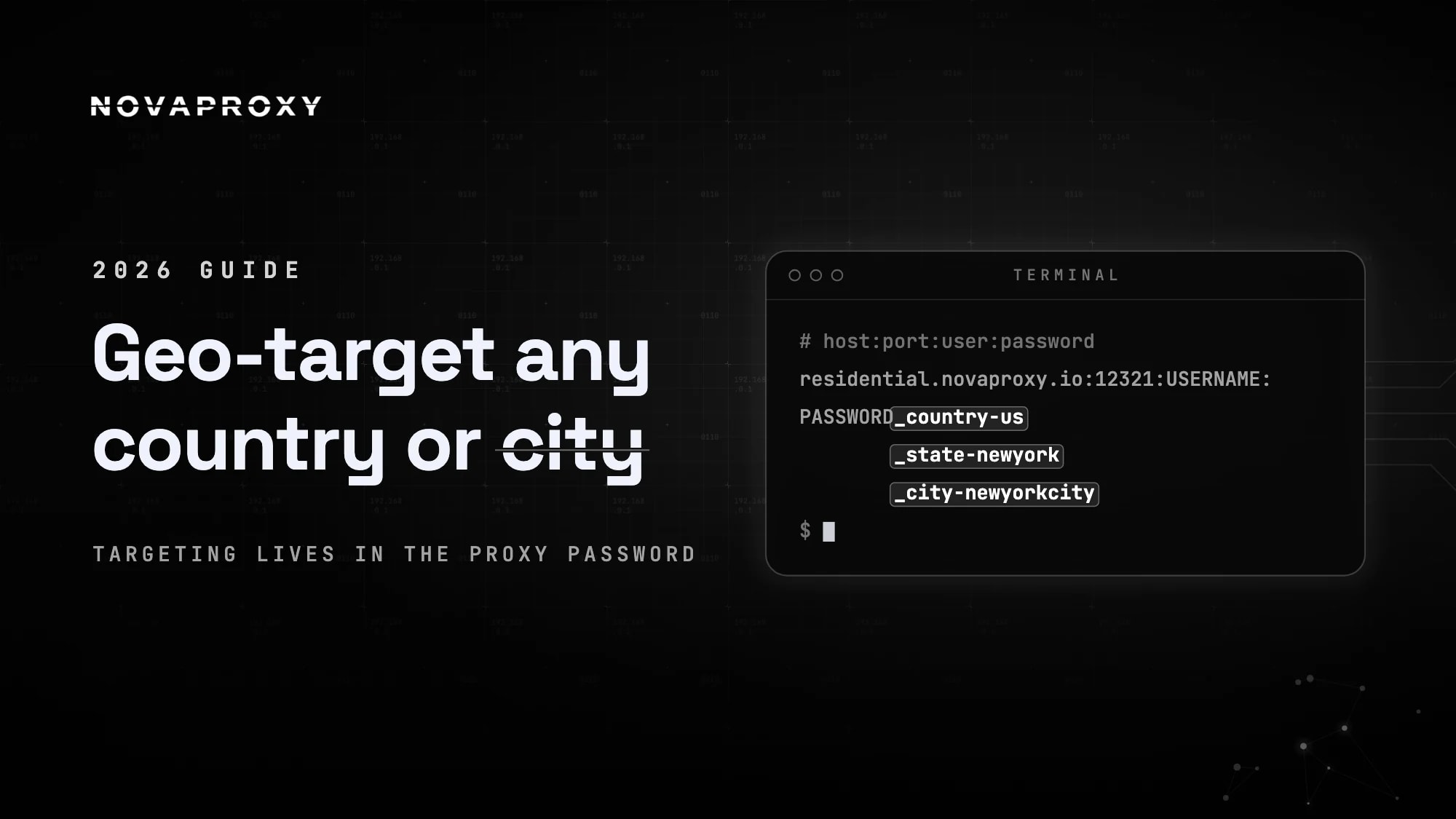
residential.novaproxy.io:12321:USERNAME:PASSWORD_country-us_state-newyork_city-newyorkcityNo manual editing needed — the dashboard builds the credentials for every location you select. But it's worth understanding the format it produces, because that's what makes geo-targeting scriptable: the location lives in underscore-separated parameters appended to the password. If you're automating, you can generate credentials for any location in code instead of clicking through the dashboard.
Country targeting
_country- plus the two-letter ISO code:
PASSWORD_country-us      → United States
PASSWORD_country-de      → Germany
PASSWORD_country-jp      → Japan
State targeting
_state- after the country, written in lowercase with spaces removed:
PASSWORD_country-us_state-newyork
PASSWORD_country-us_state-california
City targeting
_city- for the narrowest filter, also lowercase with spaces removed:
PASSWORD_country-us_state-newyork_city-newyorkcity
PASSWORD_country-gb_city-london
Working examples
With curl:
curl -x "http://USERNAME:PASSWORD_country-us_state-newyork_city-newyorkcity@residential.novaproxy.io:12321" https://ipwho.is/With Python — here generating credentials for several markets programmatically:
import requests

for country in ["us", "de", "jp"]:
    proxy = f"http://USERNAME:PASSWORD_country-{country}@residential.novaproxy.io:12321"
    data = requests.get("https://ipwho.is/", proxies={"http": proxy, "https": proxy}).json()
    print(country, "→", data["country"], data["city"], data["ip"])
The same credentials work in any tool that accepts a standard HTTP or SOCKS5 proxy. Because the location is encoded per credential, you can run requests against dozens of locations in parallel — one generated credential set per region.
How Accurate Is Proxy Geo-Targeting?
Set expectations by level. Country targeting is close to perfect: country records are the most reliable data in every geolocation database, so an IP requested in Germany will read as Germany essentially everywhere. State targeting is dependable. City targeting works well but inherits the limits of IP geolocation itself — the databases that websites use don't always agree on which city an IP belongs to, so a small share of city-targeted requests may resolve to a neighboring area on the site you're testing.
Two practices keep results trustworthy:
- Verify before you rely. Run your configured proxy through a proxy checker to confirm the exit IP's detected country and city before pointing real workloads at it.
- Check against the database your target uses. If you're verifying ads on a platform known to use a specific geolocation provider, validate your IPs against that provider — not just a generic lookup.
What Geo-Targeted Proxies Are Used For
Localized search results — including AI answers
Google's results differ by country and city, and the same is now true of AI search. Google AI Overviews, ChatGPT search, and Perplexity all localize their answers, so brands tracking their visibility in AI results (GEO/AEO monitoring) need to query from IPs in each target market. A geo-targeted proxy per region is the only way to see which sources an AI engine cites for users in the US versus the UK versus Germany — checking from your office IP only ever shows you your own market.
Classic rank tracking needs the same local IPs, and it got harder in 2026: Google now wraps result links in google.com/goto redirects and blocks automated checks more aggressively. Our guide to scraping local Google results by city walks through a setup that combines city-level targeting with the slower pacing Google now demands.
Ad verification
Ad networks serve campaigns by viewer location, which makes misdelivered geo-targeted campaigns invisible from your own IP. Verification teams load pages through proxies in each campaign region to confirm the right creatives appear in the right markets — and to catch compliance problems or ad fraud that only local visitors would see.
E-commerce price intelligence
Retailers, airlines, and marketplaces adjust prices, availability, and promotions per region. Pricing teams collect competitor data through country-targeted proxies to build accurate market-by-market pictures — the price a US IP sees is often simply not the price a German IP sees.
Localization QA and geo-restriction testing
If your product serves different content per region — translations, regional catalogs, licensing restrictions, age gates — geo-targeted proxies let your QA team experience each variant exactly as local users do, and confirm that restrictions block and allow the right audiences.
Choosing the Right Proxy Type for Geo-Targeting
- Residential proxies are the default for geo-targeting: real household IPs that pass geolocation and anti-bot checks as genuine local users, with enough pool depth for state and city filters.
- Mobile proxies exit through carrier networks and add carrier-level authenticity — the right choice for testing mobile apps, mobile ads, or carrier-specific content by region.
- Datacenter proxies are faster and cheaper but their IP ranges are publicly registered to hosting providers, so geo-sensitive sites often serve them different (or blocked) content. Use them where authenticity doesn't matter.
You can browse available regions on our proxy locations pages.
Frequently asked questions
Because the internet is different in every location. Search rankings, AI answers, prices, ads, and content availability all change with the viewer's IP. Geo-targeted proxies are the only reliable way to see, test, and collect what users in another country, state, or city actually experience.
Yes. Select the city when generating your proxy list in the dashboard, and the gateway assigns exit IPs located in that city. Under the hood this adds a city parameter to the credentials — for example PASSWORD_country-us_state-newyork_city-newyorkcity — so you can also build city-targeted credentials programmatically. Expect a smaller pool than country-level targeting.
IP geolocation databases don't always agree at city level: the database your target website uses may place an IP in a neighboring city. Country-level detection is consistent across databases. If exact city placement matters, verify each IP against the same lookup your target relies on.
A VPN routes all your device traffic through one shared server, usually in a datacenter range that websites easily identify. A geo-targeted proxy gives you per-request control — different locations for different requests, residential IPs that pass as local visitors, and city-level precision VPNs don't offer.
Send a request through the proxy to an IP-lookup service, or run it through our free proxy checker, which reports the detected country and city for each proxy in your list. Verify a sample of IPs before starting any location-sensitive workload.
Start Testing From Any Location
Geo-targeting turns a proxy network into a window onto every market you care about — pick your locations in the dashboard, generate the list, and you're browsing from another country, state, or city. Choose the broadest targeting level that answers your question, verify your exit IPs, and match the proxy type to the job.
Ready to try it? Start with a free trial, confirm coverage in your target regions, and scale from there.

